ThesisPilot

Generate a complete thesis — citations, tables, figures, equations.

Upload your papers, references, PDFs, and notes. ThesisPilot turns them into a structured BSc or MSc thesis with real citations, mathematical notation, figures, tables, and appendices — then helps you refine it with an AI supervisor so you keep authorship and control exports.

Thesis preview

Your thesis, generated from start to finish

ThesisPilot brings your sources, draft generation, academic structure, figures, citations, and supervisor-style review into one workspace — so you can move from source material to export without retyping.

Generate a full academic thesis from your sources.

Upload assigned papers, references, PDFs, notes, and web sources. ThesisPilot builds a complete thesis draft with structured chapters, citations, equations, tables, figures, and appendices.

Research Paper
Assigned Paper
References
Web Sources
PDF / Notes
AI Generating Thesis…

Analyzing • Structuring • Citing • Writing

Your Thesis

Auto-saved
  • Introduction

  • Literature Review

  • Methodology

  • Results

  • Appendices

AI Supervisor

Reviewing

Narrow this claim to match the cited evidence.

Add one primary citation before expanding this argument.

Turn this into a testable hypothesis.

Ask your AI supervisor…

Full thesis generation

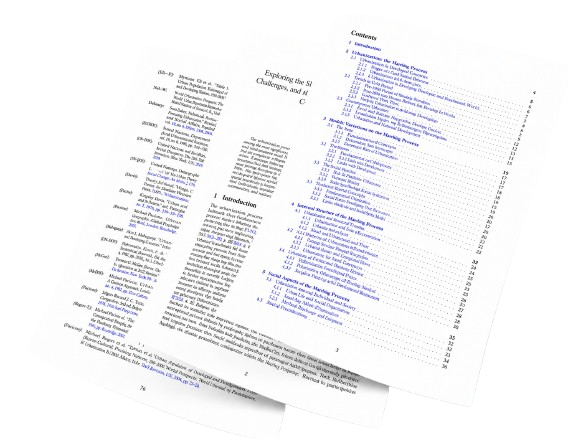
ThesisPilot turns your uploaded sources into a structured BSc or MSc thesis draft, including citations, equations, figures, tables, appendices, and export-ready formatting.

Source groundedCitations includedSTEM readyFigures + tablesMath notation

Chapter 3: Methodology

Supervisor

Strengthen this section by linking the model specification to your research question and cited sources.

Generate, revise, and export — with your sources still in the loop.

Refine with AI supervision

After generation, ThesisPilot turns vague feedback into targeted edits, anchored comments, and supervisor-style suggestions for specific paragraphs.

Anchored feedback

Prior work suggests a strong effect; however, Claim too broad for your sample without narrowing the population.

Supervisor

Narrow this claim and link it to your evidence.

Export without retyping

Move your thesis into your department's workflow with clean exports for LaTeX, PDF, Markdown, and print.

LaTeX

.tex

PDF

print-ready

Markdown

.md

Print

booklet

How it works — from sources to thesis.

Upload your material, generate a full thesis, refine it with supervisor-style feedback, and export in the format your department expects.

  1. Upload sources

    Add papers, references, PDFs, notes, and web sources to your thesis workspace.

  2. Generate full thesis

    ThesisPilot creates structured chapters with citations, equations, figures, tables, and appendices.

  3. Review and refine

    Use the AI Supervisor to scope claims, improve logic, add missing citations, and revise weak sections.

  4. Export cleanly

    Move your thesis to LaTeX, PDF, Markdown, or print without retyping.

Full

Thesis draft

Chapters, citations, figures

4+

Export formats

PDF, Markdown, LaTeX, print

0

Retyping

Clean handoff to your workflow
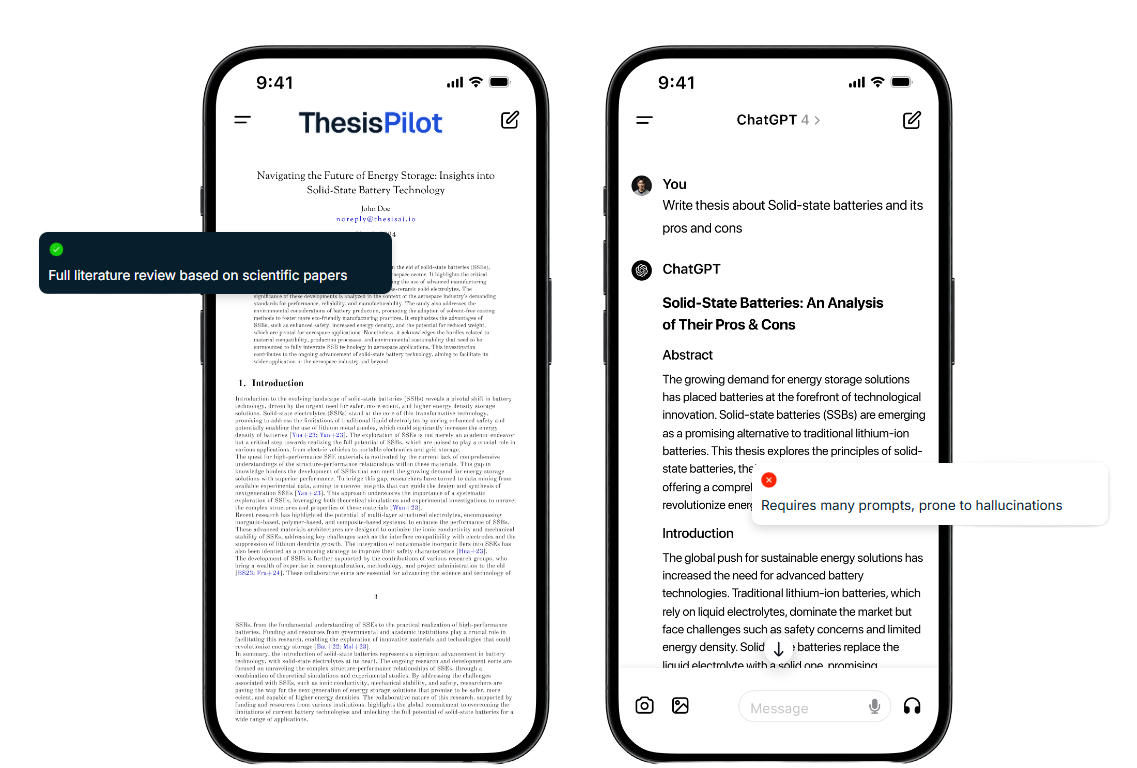
ThesisPilot vs generic chat

Generic tools are built for short conversations. ThesisPilot is built for complete academic documents: sources, structure, citations, equations, figures, review, and export.

ThesisPilot

  • • Full thesis generation from uploaded sources
  • • Source-grounded citations and reference tracking
  • • Figures, tables, equations, and appendices
  • • Structured chapters you can revise and export
  • • AI Supervisor for targeted review

Generic chat

  • • Easy to lose thread across long drafts
  • • Weak workflow for full thesis structure
  • • Hard to manage citations, figures, and appendices
  • • No clean export pipeline
  • • Often produces disconnected long-form text

Thesis generator + AI supervisor

Generate the full draft first. Then revise section by section with structured reviews, anchored comments, and focused supervisor-style guidance.

Draft editor

Generated methodology section with model notation, variable definitions, and cited assumptions… …ready for targeted revision before export.

Supervisor

  • Call — link the model to the research question.
  • Watch — add a citation for the identification assumption.
  • Next — rewrite the hypothesis in one measurable sentence.

Simple pricing

Start free. Upgrade when you need more AI reviews and project headroom.

Frequently asked questions

Everything you need to know about ThesisPilot for thesis workflow decisions.

Can ThesisPilot generate a full thesis?

Yes. ThesisPilot generates a full BSc or MSc thesis draft from your uploaded source material, then lets you revise section by section before export.

Can it handle Econometrics and STEM theses?

Yes. ThesisPilot supports technical structures across econometrics and STEM workflows, including methodology-heavy chapters and notation-aware drafting.

Can it generate figures, tables, equations, and appendices?

It is built for structured academic drafts that include figures, tables, equations, and appendices when supported by your sources and prompt context.

Can I upload my own references and cite them?

Yes. Upload papers, PDFs, notes, and web sources to ground generation in your own material and keep citation context tied to your project.

Can I control the target length and structure?

Yes. You can steer chapter scope, section depth, and revision direction before export.

What exports are available?

You can export your thesis to LaTeX, PDF, Markdown, and print-ready outputs without retyping.

How is this different from a generic AI chat?

Generic chat is built for short conversations. ThesisPilot is built for full thesis workflows: source ingestion, structured generation, citations, review, and export.

Does ThesisPilot guarantee AI-detection bypass?

No. ThesisPilot is a writing and revision workspace, not a bypass tool. You should review outputs carefully and submit only work you understand and can defend.

Contact

ThesisPilot is in active development. For support or partnerships, use the email you sign up with in account settings, or reach your deployer's contact channel.